SIM Card Help: Activation & Setup
Everything you need to know about SIM card activation, eSIM setup, and getting your mobile device ready to use.
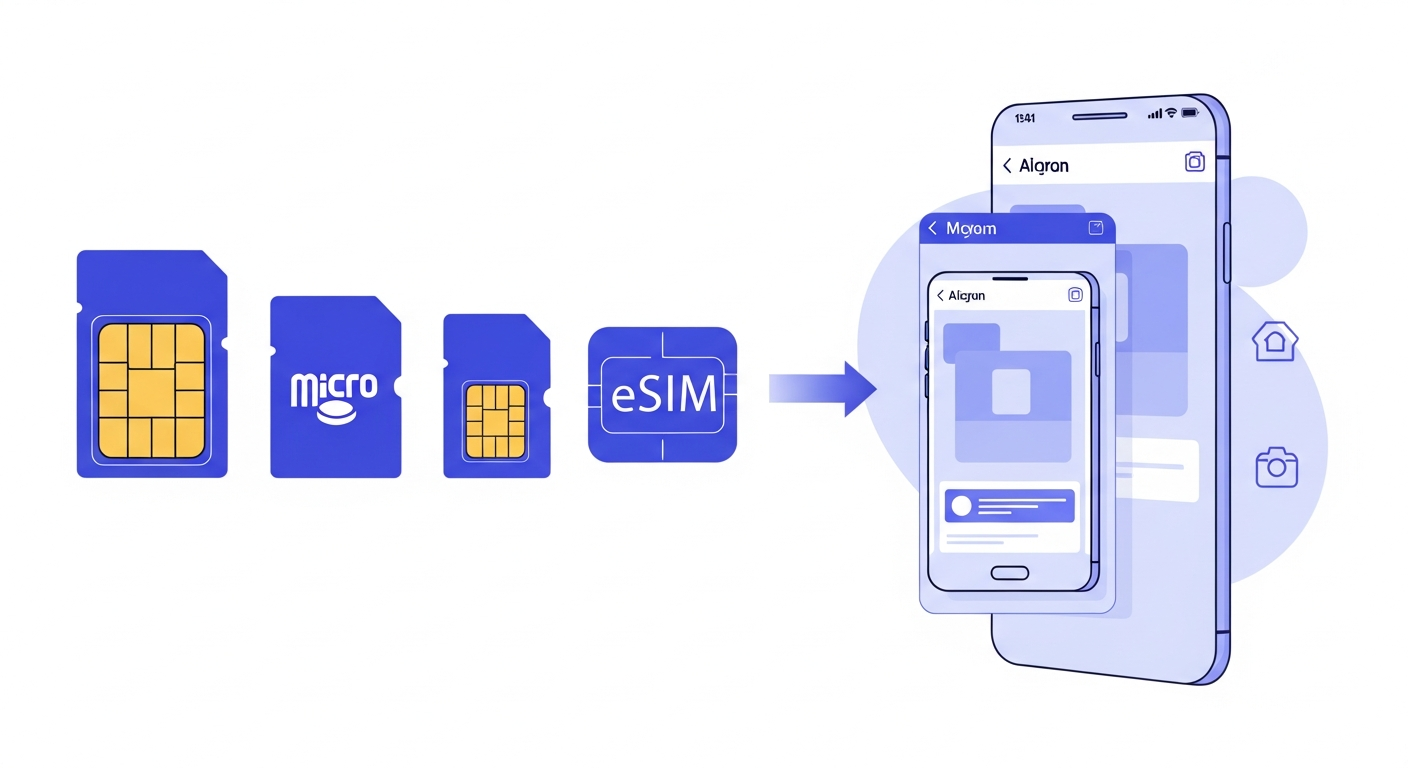
SIM Card Activation
We've compiled this guide from official sources and real user experiences to help you get connected quickly.
How to Activate Your SIM
-
Insert your SIM card
Use the SIM ejector tool or a paperclip to open the SIM tray. Insert the SIM with the gold contacts facing down.
-
Turn on your phone
Your phone should detect the SIM and display your network name.
-
Follow activation prompts
Most SIMs activate automatically. You may need to visit a website or make a call to complete activation.
-
Wait for signal
Full activation can take up to 24 hours, though most SIMs work within minutes.
Tip: If you're transferring your number from another network, you'll need a PAC code. See our PAC code guide for details.
SIM Card Sizes
Modern SIMs come in multi-size cards that you can pop out to fit your phone:
- Standard SIM: Oldest, largest size (rarely used)
- Micro SIM: Medium size (older phones)
- Nano SIM: Smallest size (most modern phones)
eSIM Setup
What is eSIM?
An eSIM (embedded SIM) is a digital SIM built into your phone. Instead of inserting a physical card, you download your mobile plan directly to your device. This means you can switch networks without changing SIM cards.
Benefits of eSIM:
- Instant activation - no waiting for a SIM in the post
- Use two numbers on one phone (with dual SIM support)
- Easier to switch networks
- Useful for travel eSIMs
How to Set Up eSIM
- Check compatibility - Ensure your phone supports eSIM (iPhone XS and later, most Samsung Galaxy S20 and later, Google Pixel 3 and later)
- Order eSIM from your network - Request an eSIM through your network's app or website
- Receive QR code - Your network will send you a QR code by email or in the app
- Scan the QR code - Go to Settings > Mobile Data > Add eSIM and scan the code
- Complete activation - Follow on-screen prompts to finish setup
eSIM Support by Network
- O2: Full eSIM support for Pay Monthly and Pay As You Go
- EE: eSIM available on all plans
- Vodafone: eSIM supported on most plans
- Three: eSIM available for compatible devices
Device Setup
iPhone Setup
- Turn on and follow on-screen setup
- Connect to Wi-Fi
- Sign in with Apple ID or create new
- Set up Face ID or Touch ID
- Transfer data from old phone (Quick Start)
- Complete carrier activation
Android Setup
- Turn on and select language
- Connect to Wi-Fi
- Sign in with Google account
- Set up security (fingerprint/PIN)
- Transfer data from old phone
- Install updates and apps
Essential Settings to Check
- Mobile Data: Ensure data is enabled in Settings
- Wi-Fi Calling: Enable for better indoor coverage
- Voicemail: Set up your voicemail PIN and greeting
- Data Roaming: Turn off unless you need it abroad
- Data Saver: Enable to reduce background data usage
Common Issues
SIM not detected
No service or signal
eSIM won't install
Mobile data not working
Choosing Between SIM-Only and Contract
One of the biggest decisions UK mobile customers face is whether to go for a SIM-only deal or a handset contract. Both options have clear advantages depending on your circumstances, and understanding the true cost of each can save you hundreds of pounds over two years.
SIM-Only Deals
A SIM-only deal gives you a monthly allowance of data, calls, and texts without a phone included. These plans are significantly cheaper because you are not paying off the cost of a handset. Typical SIM-only deals in the UK range from around five pounds per month for basic plans to twenty-five pounds for unlimited data. Most SIM-only contracts run on a 30-day rolling basis or a 12-month term, giving you much more flexibility than a traditional 24 or 36-month phone contract.
SIM-only makes the most sense if you already own a phone that works well, if you have bought a handset outright, or if you prefer to buy refurbished devices separately. Many customers find that purchasing a phone outright and pairing it with a cheap SIM-only deal works out considerably cheaper over the long term. For example, buying a mid-range handset for three hundred pounds and pairing it with a ten pound per month SIM-only deal costs just five hundred and forty pounds over two years, compared to a contract that might cost thirty-five pounds per month totalling eight hundred and forty pounds for the same phone and allowance.
Handset Contracts
A handset contract bundles a new phone with your monthly plan. You typically pay an upfront cost plus monthly instalments over 24 or 36 months. The main advantage is spreading the cost of an expensive flagship phone into manageable monthly payments. Networks like O2 Refresh split the cost into a device plan and an airtime plan, making it easier to see exactly what you are paying for each element.
Contracts are best suited for customers who want the latest flagship device without paying the full price upfront, those who prefer the convenience of a single monthly bill, and people who like to upgrade to a new phone every two years. However, always compare the total cost of ownership. Add up the upfront cost plus all monthly payments and compare that figure against buying the phone separately plus a SIM-only deal. In many cases, the difference can be one hundred to two hundred pounds over the contract term.
SIM Card Types Explained
Understanding the different SIM card formats ensures you order the right one for your phone. Here is a breakdown of every type currently in use across UK networks.
-
Standard SIM (1FF/2FF)
The original full-size SIM card, roughly the size of a credit card in its earliest form. The 2FF Mini-SIM became common in early mobile phones. You will rarely encounter this format today, but some older feature phones and IoT devices still use it.
-
Micro SIM (3FF)
Introduced widely with the iPhone 4 in 2010, the Micro SIM is smaller than the Standard SIM but larger than the Nano. Some budget Android phones released up to 2018 still use this size. If you have an older handset, check your SIM tray dimensions before ordering.
-
Nano SIM (4FF)
The Nano SIM is the standard physical SIM for virtually all modern smartphones sold since 2014. It measures just 12.3mm by 8.8mm and consists almost entirely of the gold contact chip with minimal surrounding plastic. If you are buying a new SIM from any UK network in 2026, this is the size you will most likely need.
-
eSIM (Embedded SIM)
An eSIM is a digital SIM embedded directly into your phone's hardware. There is no physical card to insert. Instead, you scan a QR code or use your network's app to download your mobile plan onto the device. All major UK networks now support eSIM, and it is particularly useful for travellers who want a local data plan without swapping physical cards.
-
Multi-SIM / Triple-Cut SIM
Most UK networks now send a triple-cut SIM card that includes all three physical sizes in one card. You simply press out the size that fits your device. This eliminates the worry of ordering the wrong size and means you can reuse the same SIM if you switch to a phone that requires a different format. Keep the outer card frame as a backup in case you need to adapt the SIM to a larger size later.
Setting Up a New Phone
Switching to a new phone does not have to mean losing your photos, contacts, or messages. Modern transfer tools make the process straightforward regardless of whether you are staying on the same platform or switching between iPhone and Android.
Data Transfer Methods
-
iCloud Backup (iPhone to iPhone)
Back up your old iPhone to iCloud via Settings, then sign in on your new iPhone and choose to restore from iCloud backup during setup. Alternatively, use Quick Start by placing both iPhones near each other to transfer data directly over a peer-to-peer wireless connection. Quick Start is faster and does not require sufficient iCloud storage.
-
Google Backup (Android to Android)
On your old Android phone, go to Settings and enable Google Backup. Your contacts, app data, call history, and device settings will sync to your Google account. When setting up your new Android phone, sign in with the same Google account and select the backup to restore. Photos can be synced separately through Google Photos.
-
Samsung Smart Switch
If you are moving to a Samsung Galaxy device, Smart Switch can transfer data from virtually any Android phone or iPhone. You can connect the two phones using a USB cable for the fastest transfer, or use the wireless option over Wi-Fi. Smart Switch copies apps, photos, music, contacts, messages, and even your home screen layout.
-
Move to iOS / Switch to Android
Apple's Move to iOS app helps Android users transfer their data to a new iPhone during initial setup. Google's Switch to Android app does the reverse, helping iPhone users move contacts, photos, videos, and calendar events to an Android device using a direct cable connection.
What to Do With Your Old Phone
Once you have transferred your data, you have several options for your old device. You can sell it through trade-in programmes offered by O2, Apple, Samsung, and third-party buyback services like musicMagpie or Envirofone. Alternatively, you can keep it as a backup device, gift it to a family member, or recycle it responsibly through your local authority's electronics recycling scheme. Before parting with it, always perform a factory reset to wipe your personal data, remove your accounts, and unpair any connected devices like smartwatches.
SIM & Device FAQ
Can I use my existing SIM card in a new phone?
How long does it take for a new SIM to activate?
What is the difference between a PAC code and a STAC code?
Can I have two SIM cards with the same number?
More SIM & Device Resources
Check our network-specific guides for detailed SIM and device support.
Written by the AtlasMobile Team
Independent UK Mobile & Broadband Experts
Our editorial team combines over 25 years of experience in UK telecommunications. We research, test, and verify all information to provide accurate, unbiased guidance for consumers.
Last reviewed: January 2026