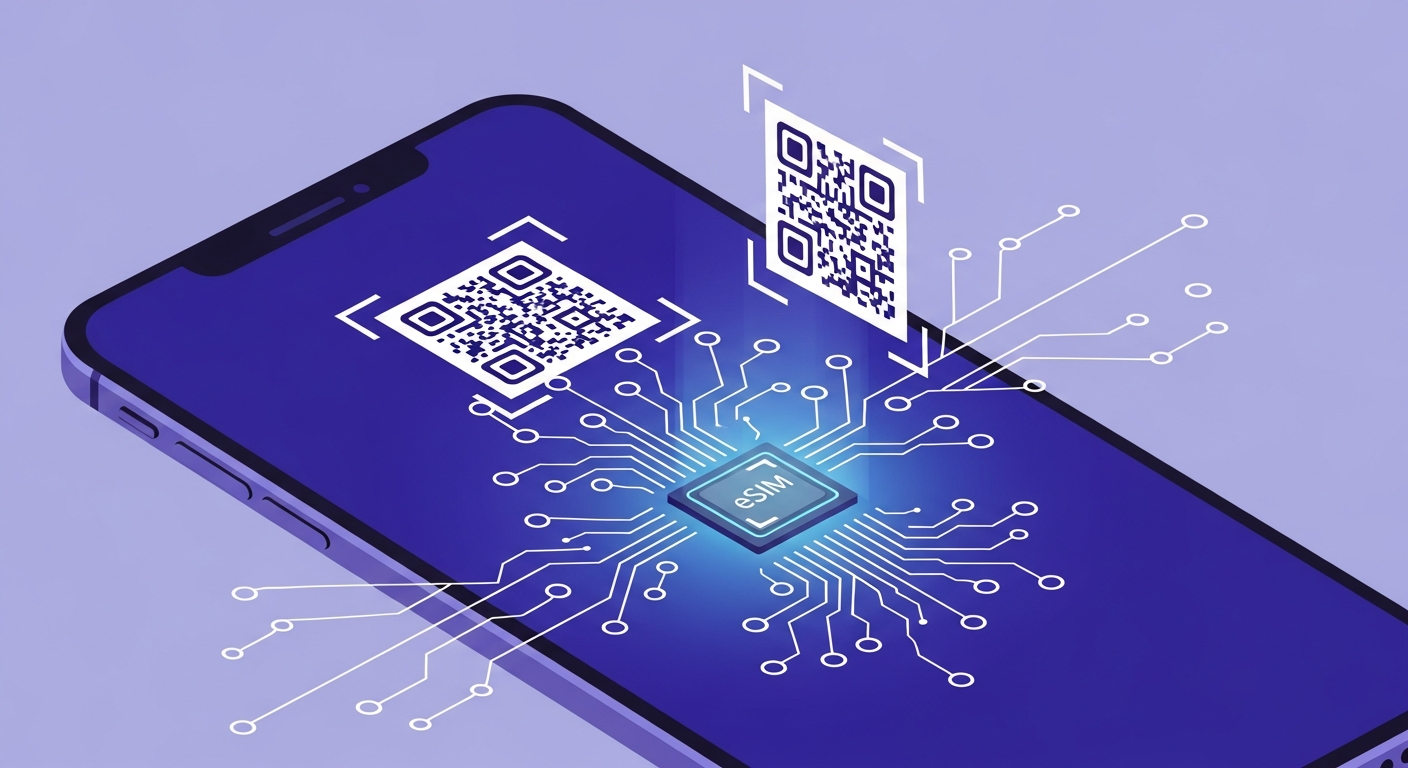
The way we connect our phones to mobile networks is undergoing a fundamental shift. The eSIM—short for embedded SIM—is rapidly replacing the traditional plastic SIM card that has been a staple of mobile phones for decades. If you have recently purchased a new smartphone, there is a strong chance it supports eSIM technology, and you may be wondering what that means for you. In this comprehensive guide, we explain everything UK consumers need to know about eSIMs in 2026: what they are, how to set one up on every major network, which phones support them, and how to make the most of dual SIM functionality for work, travel, and everyday life.
Key Takeaways
- An eSIM is a digital SIM built into your phone—no plastic card needed
- All four major UK networks (O2, EE, Vodafone, Three) fully support eSIM activation
- Most smartphones released since 2020 are eSIM compatible, including iPhones from the XR onwards
- You can use dual SIM to run two numbers on one phone for personal and work use
- eSIMs are ideal for travellers—add a local data plan without removing your UK SIM
What Is an eSIM?
An eSIM, or embedded SIM, is a small chip soldered directly onto your smartphone's motherboard during manufacturing. Unlike a traditional SIM card—the small plastic card you physically insert into a tray on the side of your phone—an eSIM is permanently built into the device. It performs exactly the same function as a physical SIM: it stores your subscriber identity, authenticates you on your network, and enables you to make calls, send texts, and use mobile data. The critical difference is that an eSIM can be programmed and reprogrammed remotely, without the need to handle any physical component.
Traditional SIM cards have evolved considerably since they were first introduced in 1991. The original full-size SIM was the size of a credit card, and successive generations shrank to mini-SIM, micro-SIM, and the nano-SIM that most phones use today. The eSIM represents the next logical step in this evolution: removing the physical card entirely. The technology is governed by the GSMA (the global mobile industry body), which ensures that eSIM standards are consistent across manufacturers and networks worldwide.
From a practical standpoint, the eSIM experience is straightforward. When you sign up with a network or switch providers, instead of receiving a plastic SIM card in the post, you receive a QR code—either via email, in-app, or on a printed card in-store. You scan the QR code with your phone's camera, and within minutes your device is connected to the network. There is no need to eject a SIM tray with a pin tool, no risk of losing a tiny card, and no waiting for delivery. The entire process is digital, and in most cases it takes less than five minutes from start to finish.
It is worth noting that having an eSIM does not prevent you from also using a physical SIM card. Most current smartphones feature both an eSIM and a nano-SIM slot, giving you the flexibility to use two different numbers or two different networks on a single device. Some of the latest devices, such as the iPhone 15 and iPhone 16 series, support multiple eSIM profiles, meaning you can store several network plans on the device and switch between them as needed.
Benefits of eSIM
The shift to eSIM technology brings a range of tangible benefits for UK consumers. Perhaps the most significant advantage is the ability to use dual SIM functionality without needing a phone with two physical SIM slots. With an eSIM and a physical SIM (or two eSIMs on supported devices), you can maintain two separate phone numbers on a single handset. This is invaluable for people who carry separate work and personal phones, as it eliminates the need for a second device entirely.
Instant activation is another major benefit. With a traditional SIM, you typically order online or visit a shop, wait for the card to arrive, then insert it and wait for activation. With an eSIM, the entire process happens digitally. You can sign up for a new plan, scan a QR code, and be connected within minutes—even outside normal business hours. This is particularly useful if you need connectivity urgently, such as when replacing a lost or broken phone.
The environmental impact should not be overlooked either. Every physical SIM card is a piece of plastic, packaged in a cardboard holder, shipped in a letter or parcel. The UK's four major networks collectively produce millions of SIM cards each year. By switching to eSIM, this plastic waste is eliminated entirely. There is no packaging, no shipping, and no discarded SIM when you switch networks. For environmentally conscious consumers, this is a meaningful consideration.
Easier network switching is a further advantage. Changing your mobile network no longer requires waiting for a new SIM to arrive. Once you have obtained your PAC code to transfer your number, you can activate your new eSIM profile in minutes. This removes one of the traditional friction points in switching providers and makes it simpler to take advantage of better deals. The ability to store multiple eSIM profiles also means you can keep a backup network ready to activate instantly if your primary service experiences issues.
Which UK Networks Support eSIM?
As of January 2026, eSIM support among UK mobile networks is comprehensive. All four major operators—O2, EE, Vodafone, and Three—offer full eSIM support on both pay monthly contracts and pay-as-you-go plans. This means that regardless of which major network you prefer, you can take advantage of eSIM technology without restriction.
O2 was among the early adopters of eSIM in the UK and now offers seamless eSIM activation through the My O2 app and in-store. O2 supports eSIM on all compatible devices and allows customers to manage their eSIM profile entirely through the app, including ordering a replacement eSIM if they change devices. For a detailed walkthrough, see our dedicated O2 eSIM setup guide.
EE, the UK's largest mobile network by subscriber count, provides eSIM support across its full range of plans. EE customers can activate an eSIM online through the My EE app or by visiting an EE store. The network has invested in making the digital onboarding process as smooth as possible, and most customers report that activation takes fewer than ten minutes.
Vodafone offers eSIM activation via the My Vodafone app, its website, or in physical stores. Vodafone was one of the first UK networks to support eSIM on its pay-as-you-go plans, making the technology accessible to customers who prefer not to commit to a monthly contract.
Three provides eSIM support for both consumer and business customers. Activation is available through the My3 app and in Three retail stores. Three has also been proactive in supporting eSIM for its 5G home broadband products, allowing customers to set up fixed wireless access without a physical SIM.
Beyond the big four, several MVNOs (mobile virtual network operators) now support eSIM as well. giffgaff, which runs on the O2 network, launched eSIM support in 2024 and offers it on all its goodybag plans. VOXI, owned by Vodafone, supports eSIM activation through its app. Tesco Mobile and Sky Mobile have also introduced eSIM support, expanding the range of options available to UK consumers. For a broader comparison of network options, visit our network comparison tool.
eSIM Compatible Phones in 2026
eSIM compatibility has become the norm rather than the exception for smartphones released in the past few years. If you have purchased a mid-range or flagship phone since 2020, there is a high probability it supports eSIM. Below is a comprehensive breakdown of eSIM-compatible devices by manufacturer.
Apple iPhone
Apple was one of the earliest mainstream adopters of eSIM technology. Every iPhone released since the iPhone XR and iPhone XS in 2018 supports eSIM. This includes the iPhone XR, XS, XS Max, 11 series, 12 series, 13 series, 14 series, 15 series, and the iPhone 16 range released in late 2025. All 2026 iPhone models are expected to continue supporting eSIM, with rumours suggesting that Apple may move to an eSIM-only configuration for certain markets, as it already has with US models from the iPhone 14 onwards.
iPhones running iOS 16 or later also support eSIM Quick Transfer, which allows you to move an eSIM profile between two Apple devices via Bluetooth without needing to contact your network provider. The iPhone 13 and later models support dual eSIM functionality, meaning you can have two active eSIM profiles without any physical SIM card at all.
Samsung Galaxy
Samsung introduced eSIM support with the Galaxy S20 series, but the feature became consistently available from the Galaxy S21 onwards. All models in the Galaxy S21, S22, S23, S24, and S25 ranges support eSIM. Samsung's foldable phones—the Galaxy Z Fold and Z Flip series from the Z Fold3 and Z Flip3 onwards—also include eSIM support. The Galaxy A series has seen eSIM support added to selected models from 2024, broadening access beyond flagship-tier pricing.
Google Pixel
Google has supported eSIM on its Pixel phones since the Pixel 2, making it one of the longest-running eSIM supporters. The Pixel 6, 6 Pro, 6a, 7, 7 Pro, 7a, 8, 8 Pro, 8a, 9, and 9 Pro all support eSIM. Google's clean Android experience makes eSIM setup particularly straightforward, with the eSIM activation option prominently available in the phone's network settings.
Other Brands
Beyond the three major players, eSIM support is available on selected devices from several other manufacturers. Sony's Xperia 1 V and subsequent models support eSIM. Motorola offers eSIM on its Razr foldable series and selected Edge models. OnePlus introduced eSIM support with the OnePlus 12, and the technology is expected across their 2026 lineup. If you are unsure whether your specific device supports eSIM, check your phone's settings under "Mobile Network" or "Cellular" for an option to add an eSIM or download a SIM.
| Manufacturer | eSIM Support From | Dual eSIM | Notable Models |
|---|---|---|---|
| Apple | iPhone XR (2018) | iPhone 13 onwards | iPhone 14, 15, 16 series |
| Samsung | Galaxy S21 (2021) | Selected models | S24, S25, Z Fold5, Z Flip5 |
| Pixel 2 (2017) | Pixel 7 onwards | Pixel 8, 8a, 9, 9 Pro | |
| Motorola | Razr 2022 | Limited | Razr 40, Edge 40 |
| OnePlus | OnePlus 12 (2024) | Limited | OnePlus 12, 13 |
How to Activate eSIM on Each UK Network
The activation process varies slightly between networks, but the general principle is the same: you request an eSIM from your provider, receive a QR code, and scan it with your phone to download the eSIM profile. Below are step-by-step instructions for each major UK network.
O2 eSIM Setup
- Ensure your phone is eSIM compatible and connected to Wi-Fi.
- Download or open the My O2 app on your device and sign in to your account.
- Navigate to the "My Device" or "SIM" section within the app.
- Select the option to "Switch to eSIM" or "Get an eSIM."
- O2 will generate a QR code on screen (or send one to your email if you request it online).
- On your phone, go to Settings > Mobile Data > Add eSIM (iPhone) or Settings > Connections > SIM Manager > Add eSIM (Samsung/Android).
- Scan the QR code using your phone's camera when prompted.
- Wait for the eSIM profile to download and activate. This usually takes two to five minutes.
- Once activated, your phone will display O2 as your network. You can remove your old physical SIM card if you no longer need it.
For a more detailed walkthrough with screenshots, visit our full O2 eSIM activation guide.
EE eSIM Setup
- Confirm that your device supports eSIM and is connected to a stable Wi-Fi network.
- Open the My EE app or log in to your EE account online.
- Go to "My Plan" and look for the "eSIM" or "Change SIM" option.
- Follow the on-screen prompts to request an eSIM. EE will verify your identity.
- A QR code will be generated. If you are using the app on the same device, EE may offer a direct download option instead.
- On your phone, navigate to the eSIM settings and select "Add a Mobile Plan" or "Add eSIM."
- Scan the QR code or follow the direct download link.
- Your eSIM will activate within a few minutes. Your old physical SIM will be deactivated automatically.
Vodafone eSIM Setup
- Check your device is eSIM compatible on the Vodafone website or in the My Vodafone app.
- Open the My Vodafone app and sign in.
- Navigate to "My Plan" or "SIM & Device" and select "Switch to eSIM."
- Vodafone will send you a QR code via the app or email.
- Open your phone's eSIM settings and scan the QR code.
- The eSIM profile will download and activate. You will receive a confirmation notification.
- Restart your phone if prompted to complete the setup.
Three eSIM Setup
- Ensure your device is on Three's list of eSIM-compatible phones.
- Open the My3 app or visit the Three website and log in.
- Go to "My Account" and find the "Get eSIM" or "Switch to eSIM" option.
- Three will generate a QR code for you. Alternatively, you can visit a Three store to have an eSIM activated in person.
- On your phone, go to eSIM settings and scan the QR code.
- Wait for the download to complete and your connection to go live.
- Your physical SIM will be deactivated once the eSIM is active.
Pro Tip: Always ensure you are connected to Wi-Fi before scanning your eSIM QR code. The eSIM profile needs to be downloaded over the internet, and if your physical SIM has already been deactivated, you will need Wi-Fi to complete the process. Keep your QR code safe—if you lose it before scanning, you will need to contact your provider for a replacement.
How to Transfer Your Number to eSIM
If you are switching networks and want to keep your existing phone number, the process for moving to an eSIM is almost identical to a traditional SIM swap. The key tool is the PAC code (Porting Authorisation Code), which authorises the transfer of your number from one provider to another.
To begin, request a PAC code from your current network. You can do this by texting PAC to 65075 from the number you wish to transfer. Your current provider is legally required to supply a PAC code within one minute by text. The PAC code is valid for 30 days.
Next, sign up with your new network and choose the eSIM option during the registration process. When prompted, provide the PAC code you received from your old provider. The new network will schedule the number transfer, which typically completes within one working day. During the porting window, you may experience a brief period (usually a few hours) where your service is interrupted as the number moves between networks.
Once the transfer is complete, your eSIM will activate on the new network with your existing phone number intact. Your old SIM (physical or eSIM) will be deactivated automatically. It is important to note that transferring your number does not cancel your old contract—if you are still within a minimum term, early termination charges may apply. Check your PAC code rights and responsibilities before proceeding.
If you are staying with your current network and simply want to switch from a physical SIM to an eSIM on the same account, the process is even simpler. Contact your provider through their app or customer service, request an eSIM swap, and follow the QR code activation process described above. Your number will transfer seamlessly with no interruption to service in most cases.
Using Dual SIM: Personal and Work Numbers
One of the most practical applications of eSIM technology is the ability to maintain two separate phone numbers on a single device. This dual SIM capability is a game-changer for professionals who currently carry two phones—one for personal use and one for work. With an eSIM and a physical SIM (or two eSIMs), you can consolidate everything into a single handset.
When you set up dual SIM on your phone, you can designate which line is used for calls, texts, and data by default. Most smartphones allow you to configure this on a per-contact or per-app basis. For example, you might set all work contacts to ring through your business line, while personal contacts use your personal number. You can also choose which line to use for mobile data, and switch between them depending on signal strength or data allowance.
For freelancers and self-employed professionals, dual SIM offers a cost-effective way to separate business and personal communications without the expense of a second device. You can choose different plans for each line—perhaps an unlimited data plan on your personal number and a basic calls-and-texts plan for your business line. This separation also simplifies accounting, as business calls and data usage are clearly identifiable on a separate bill.
Employers increasingly support BYOD (Bring Your Own Device) policies, and dual SIM makes this practical. Rather than issuing company phones, organisations can provide employees with an eSIM for the work line, which employees add to their personal device. If the employee leaves the company, the work eSIM is simply deactivated—no device needs to be collected or wiped. This approach reduces hardware costs for businesses while giving employees the convenience of carrying just one phone.
eSIM for Travel: Using Local Data Plans Abroad
International travel is one of the areas where eSIM technology truly shines. Traditionally, UK travellers had two options for staying connected abroad: pay potentially steep roaming charges through their UK network, or buy a local SIM card upon arrival. Both approaches have drawbacks—roaming can be expensive, and buying a local SIM means removing your UK SIM and potentially missing calls and texts to your UK number.
With an eSIM, you can have the best of both worlds. Before or during your trip, you can purchase a local or regional eSIM data plan from providers like Airalo, Holafly, or Nomad. These services offer prepaid data plans for virtually every country in the world, with prices often significantly lower than UK network roaming rates. You download the eSIM profile to your phone, and when you arrive at your destination, you simply activate it. Your UK number remains active on your physical SIM (or primary eSIM), so you continue receiving calls and texts as normal, while your data flows through the cheaper local eSIM.
This approach is particularly valuable for frequent travellers and digital nomads. You can store multiple travel eSIM profiles on your phone and activate them as needed. Heading to Spain for a week? Activate your European eSIM. Flying to the US next month? Download a US data plan before you leave. There is no need to visit a shop, deal with language barriers, or risk losing your UK SIM card. For help estimating how much data you will need while abroad, try our data usage calculator.
Most travel eSIM providers offer plans ranging from a few days to several months, with data allowances from 1GB to unlimited. Prices vary by region, but as an example, a 10GB European data plan valid for 30 days typically costs between £8 and £15—considerably less than what most UK networks charge for roaming data outside of included allowances.
Common eSIM Problems and Fixes
While eSIM technology is generally reliable, users occasionally encounter issues during setup or use. Here are the most common problems and how to resolve them.
QR Code Not Scanning
If your phone's camera cannot read the eSIM QR code, ensure you are in a well-lit environment and holding the phone at a steady distance from the code. Avoid scanning from a screen that is too bright or has glare. If the QR code was sent by email, try printing it out rather than scanning from one screen to another. Some phones also allow you to enter an activation code manually as an alternative to scanning.
eSIM Not Activating
The most common cause of activation failure is a lack of internet connectivity. Your phone must be connected to Wi-Fi to download the eSIM profile. If activation still fails, restart your phone and try again. Check that your device's software is up to date, as older operating system versions may have eSIM compatibility issues. If the problem persists, contact your network provider—the QR code may have expired or there may be an account-level issue preventing activation.
No Signal After eSIM Setup
If you have successfully installed the eSIM but have no signal, go to your phone's mobile network settings and ensure the eSIM line is enabled and set as your active data or calling line. On iPhones, go to Settings > Mobile Service and check that the eSIM plan is turned on. On Android, check Settings > Network & Internet > SIMs. If the issue continues, try toggling Airplane Mode on and off, or restart the device. In rare cases, a network outage in your area may be responsible.
Cannot Remove eSIM
To remove an eSIM profile from your device, go to your phone's SIM or mobile network settings, select the eSIM you wish to remove, and choose "Delete" or "Remove eSIM." Be aware that removing an eSIM deletes the profile from your device entirely. You will need a new QR code from your provider if you want to reinstall it. Removing an eSIM does not automatically cancel your contract or account—you must contact your provider separately if you wish to close your account.
Dual SIM Conflicts
If you are using dual SIM and experiencing issues such as missed calls or inconsistent data, check your default line settings. Ensure that your preferred line is set as the default for calls, messages, and data. Some phones struggle with simultaneous use of two lines on different network technologies, so if one line is on 5G and the other on 4G, try setting both to 4G LTE to improve stability. Battery life may also decrease slightly when running two active lines, so keep this in mind if you notice faster drain.
Frequently Asked Questions
Can I use eSIM and a physical SIM at the same time?
Yes. Most modern smartphones support dual SIM functionality, allowing you to use one eSIM and one physical nano-SIM simultaneously. Some newer devices, such as the iPhone 14 and later, support two active eSIMs at once without needing a physical SIM tray at all. This lets you keep separate numbers for personal and work use, or maintain a UK number alongside a local data plan when travelling abroad.
Is eSIM free on UK networks?
All major UK networks—O2, EE, Vodafone, and Three—provide eSIM activation at no additional charge. There is no extra fee for choosing an eSIM over a traditional physical SIM card. You simply need a compatible device and an active account or new plan with the network. The activation process is handled digitally through QR codes or the network's app.
What happens to my eSIM if I reset my phone?
If you perform a factory reset on your phone, your eSIM profile will typically be erased along with all other data. You will need to contact your network provider to obtain a new eSIM QR code or activation details to reinstall your eSIM profile. Some networks allow you to re-download your eSIM through their app. It is advisable to back up your eSIM details or contact your provider before performing a factory reset.
Can I transfer my eSIM to a new phone?
Yes, you can transfer your eSIM to a new phone, but the process varies by network and device. On iPhones running iOS 16 or later, you can use the eSIM Quick Transfer feature to move your eSIM between Apple devices via Bluetooth. For other transfers, you will generally need to contact your network to deactivate the eSIM on your old device and receive a new QR code for your new phone. Samsung devices also support eSIM transfer during their device setup process.
Do all UK mobile networks support eSIM?
As of 2026, all four major UK networks—O2, EE, Vodafone, and Three—fully support eSIM on both pay monthly and pay-as-you-go plans. Several MVNOs (mobile virtual network operators) also support eSIM, including giffgaff, VOXI, Tesco Mobile, and Sky Mobile. However, some smaller MVNOs have not yet introduced eSIM support, so it is worth checking with your specific provider before attempting to switch.